FaceTec Demo
- 3.5
- Rating
- 50.00K
- Installs
- Free
- Price

 Analysis by App-foxy
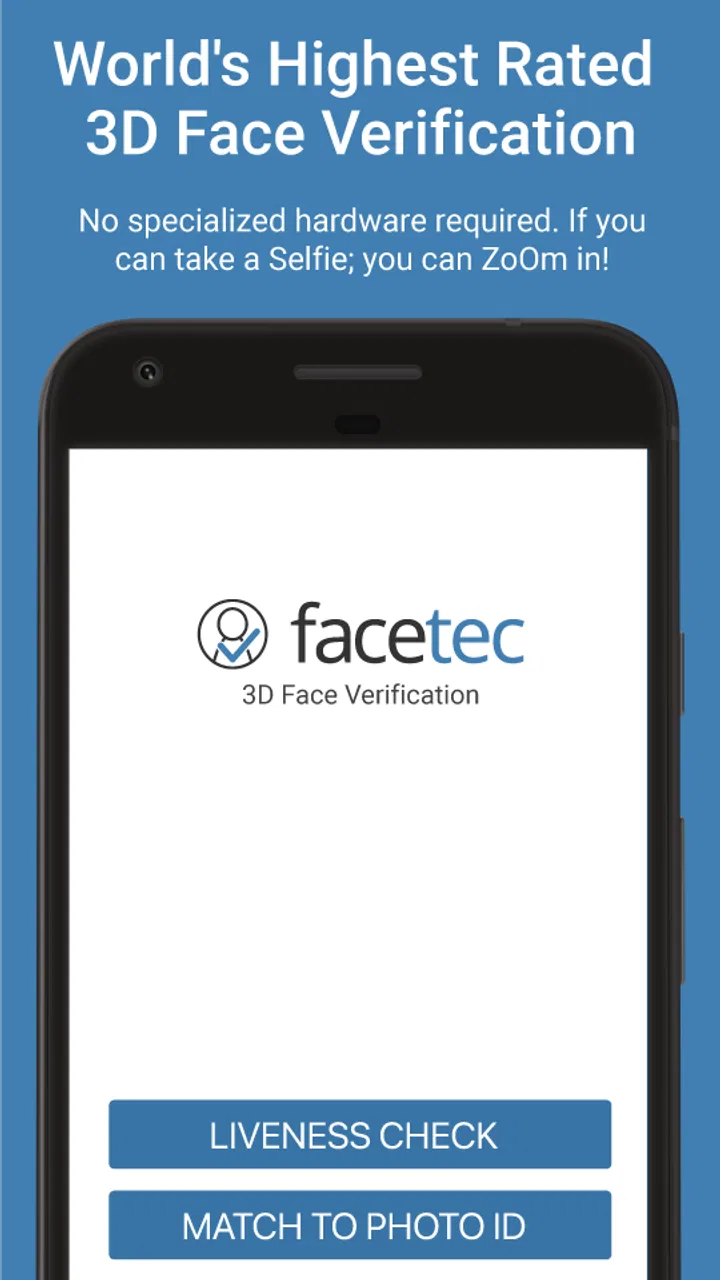
I approached FaceTec Demo as a hands-on showcase rather than a complete everyday utility. It sits in the Libraries & Demo category, and its purpose is easy to understand: it lets you experience FaceTec’s 3D liveness and 3D face-matching technology in a practical demonstration. The app is free, aimed at Everyone, and comes from FaceTec, Inc. That makes it especially interesting for people who want to see how face-based identity checks feel before encountering the technology in a banking, travel, account-recovery, or identity-verification workflow.
My first impression was that this is a focused technical demo, not a replacement for passwords, a general camera tool, or a full identity-management app. The store summary presents a password-free direction, but the useful question is how comfortably the demonstration works for different people and in different surroundings. In my experience, that is where the app becomes more revealing. It shows the promise of face verification, while also making clear that a camera-based process depends heavily on the person, the device, the lighting, and the situation.
How the demonstration feels to use
I found the demonstration most useful when I treated it as a chance to notice the small decisions a face check asks of me, not just whether it completes. I’d pay attention to how clearly the next step is signaled and whether I can make adjustments without feeling rushed. That practical perspective leads naturally to the question of how the interaction fits into ordinary use.
You May Also Like

 Blood Strike: 2.5 Anniversary
Blood Strike’s Loadouts Turn Every Drop Into a Tactical Gamble
A close look at Blood Strike’s custom loadouts: how fast access to signature weapons reshapes its battle royale rhythm, rewards preparation, and narrows the gap between fights.

 Pandora - Music & Podcasts
Pandora’s Music Is Easy to Start, but Harder to Recover
Pandora’s strength is its low-effort path from a seed to a station. Its weak spot is how much confidence it asks you to place in connection, setup, and quiet recovery.

 8 Ball Pool
 Is Built on Rivalries, Rematches, and Routine
A close look at the rivalries, rematches, shared routines, and unanswered safety questions that turn a quick pool match into a persistent mobile community.

 Samsung Music
’s Quiet Strength Is Playing What You Already Own
Its reach comes less from spectacle than from dependable access to a personal library. That simplicity is both the app’s strongest retention engine and its ceiling.

 AccuWeather: Weather Radar
AccuWeather Review: A Quick, Clear Forecast for Everyday Decisions
For everyday plans, the best forecast is the one you can understand quickly. AccuWeather makes rain timing, radar, and local conditions easy to act on, with a few trade-offs.

 Hill Climb Racing
Why Hill Climb Racing Still Turns Crashes Into One More Run
A tiny car, a bumpy hill and one more upgrade: Hill Climb Racing keeps resurfacing because its simple chaos makes every near-miss feel personal.
More From Our News Desk
View All News


Readability and navigation come first
A demo like this succeeds when the user understands what to do without needing technical knowledge. FaceTec Demo benefits from having a narrow purpose: you are not moving through a large collection of tools, accounts, or settings. That limited scope reduces the mental load compared with a typical security application, where identity checks may be buried among login options, recovery screens, and account controls.
I would still treat the experience as a guided test rather than a polished accessibility-first product. A person who is comfortable following camera prompts will probably understand the basic flow quickly. Someone who prefers larger text, stronger visual separation, or more explicit instructions may need to slow down and inspect each screen carefully. The app’s value is in showing the verification process, so the most important information needs to remain understandable while the user is positioning their face and holding the phone.
One practical tip is to avoid beginning the demonstration while rushing. Read the instruction before raising the phone into position, then make small adjustments instead of repeatedly moving the device. This is more useful than treating the process like a normal selfie. The camera is not simply taking a picture; the demonstration is asking you to participate in a liveness and face-matching check, so following the sequence matters more than getting an attractive image.
The current version is listed as 10.1.2-dev-2026052901, which signals that the build is development-oriented rather than a conventional consumer app release. I would therefore approach the interface with realistic expectations. A development demo can be valuable for understanding the technology, but it may feel less refined or less explanatory than a finished service built around the same type of verification.
What the visual interaction demands
Face verification naturally creates a visual task: the user needs to see the phone, understand the guidance, and place their face within the camera’s view. That can be manageable for many people, but it is not equally effortless for everyone. Users with low vision may find it harder to judge framing or read short on-screen directions while also keeping their head steady. Increasing the device’s system text size can help where the interface respects those settings, although I would not assume every element scales perfectly.
People who use glasses, tinted lenses, hearing aids, head coverings, or other personal equipment may also wonder whether the demonstration will recognize them consistently. The sensible approach is to use the appearance that matches the identity check you are trying to understand. Removing ordinary glasses just to make the demo easier could give you a misleading impression of a real login scenario. At the same time, glare on lenses, reflections, or anything covering important facial areas can make the process more demanding.
There is also a difference between recognizing a face and understanding a person’s intention. A user may be looking directly at the phone but still struggle with the instruction because of reading difficulty, cognitive fatigue, language comfort, or unfamiliarity with identity checks. I appreciate that a narrowly focused demo can reduce distractions, but I would like users to remember that a simple-looking screen does not automatically make a process accessible. The physical act of presenting your face remains central.
Motor and sensory considerations
The biggest motor consideration is stability. Holding a phone at a useful distance while aligning your face can be easy for one person and tiring or impossible for another. Someone with hand tremors, limited arm strength, reduced range of motion, or an injury may need to rest the phone against a stable surface or ask another person to hold it. That changes the privacy of the interaction, so it is worth thinking about before starting a verification demonstration in a public place.
A person who cannot comfortably keep their head or neck in one position may experience more friction than someone with unrestricted movement. FaceTec Demo is therefore not a universal substitute for every authentication method. If a service built around this technology offers no alternative route, the issue is not merely convenience; it can become a genuine access barrier. The demo itself is useful for revealing that distinction before a user depends on facial verification for an important account.
Sensory conditions matter as well. A busy background, harsh sunlight, dim indoor lighting, or strong reflections can make a camera-based interaction less comfortable and potentially less predictable. I would test it in the environment where I expect to use a similar process, rather than relying only on a successful attempt in a quiet room. That is one of the more valuable uses of this app: it encourages you to evaluate the whole situation, not just the technology in ideal conditions.
For users who are deaf or hard of hearing, a visual flow may be preferable to an interaction that depends on spoken instructions, but I would not assume every prompt is presented visually in every circumstance. Likewise, users who are blind or have very limited vision may need assistance with camera positioning and screen feedback. A voice assistant can help with some phone navigation, yet it cannot necessarily solve the physical requirement of presenting a face correctly to the camera.
Testing access in everyday situations
A realistic scenario would be receiving a request to verify your identity while sitting on a train, standing outside an office, or waiting in a bright lobby. In those places, privacy, movement, glare, noise, and unstable posture all compete with the camera task. FaceTec Demo is worth trying in more than one setting because a smooth result at home does not guarantee the same level of comfort elsewhere.
I would begin in a quiet room with even light, then repeat the process near a window and in a less controlled indoor space. The point is not to manufacture failure. It is to discover whether your normal glasses, hairstyle, clothing, posture, and surroundings create avoidable trouble. If you regularly use a wheelchair, mobility aid, adjustable desk, or a phone mounted at a particular angle, test from that normal position rather than changing your routine for the app.
Another useful workflow is to ask a trusted person to observe without taking over. They can tell you whether the instructions are easy to notice, whether you are holding the phone too high or low, and whether the process would be awkward in a public setting. This is especially helpful for someone who has difficulty seeing the preview or maintaining a stable grip. However, I would avoid sharing sensitive identity information or treating a helper as a permanent requirement unless the service using the technology explicitly supports that arrangement.
The app is also relevant for developers, product teams, and security-conscious users who want to understand the human side of facial authentication. A conventional password screen is mostly a text-entry problem. A facial check adds lighting, camera placement, body movement, appearance, privacy, and social comfort to the equation. Seeing that interaction directly makes it easier to ask better questions about fallback methods and inclusive account design.
Where it differs from familiar alternatives
Compared with a password manager, FaceTec Demo is not designed to store or organize credentials. A password manager is usually better when you want control over unique passwords, recovery information, and multi-device access. Compared with a fingerprint sensor, the face-based process does not require touching a specific reader, which can be helpful when hands are wet, occupied, or unable to reach a sensor comfortably. On the other hand, fingerprint authentication can be easier for a user who cannot position their face for a camera.
Compared with a one-time code sent by message or email, facial verification can reduce typing and may feel quicker when the camera interaction works smoothly. Codes, however, can be more practical in low light, when the camera is blocked, or when a person cannot comfortably present their face. They also introduce their own problems, such as access to the relevant device or account. The important lesson is that no single method fits every context.
That comparison is why I see this app as a useful demonstration rather than a complete security recommendation. It lets you experience a particular approach, but the best real-world service should offer a meaningful alternative when face verification is unsuitable. If an organization gives you only one route and that route depends on stable posture, clear camera access, and a comfortable visual interaction, the convenience comes at the cost of inclusion.
Privacy, comfort, and the decision to participate
Before using any facial demonstration, I would consider where I am and who can see the screen. A face check may not feel private in a crowded room, even if the technical process is quick. Someone with anxiety about cameras, facial recognition, or appearing on-screen may prefer to test it at home first. That reaction is valid; a frictionless interface does not remove the need for informed comfort.
I also recommend treating the demo as an evaluation of an interaction, not as proof that every future identity check will behave identically. A finished service may configure the technology differently, use a different device camera, or place the check inside a broader account flow. The demonstration can show what a 3D liveness and face-matching experience feels like, but it should not be used to make sweeping assumptions about every implementation.
For families, the Everyone age rating makes the app broadly approachable from a content perspective. That does not mean every child should be encouraged to experiment with face-based identity tools without adult guidance. A parent or guardian can explain why the camera is being used, help with positioning, and discuss the difference between trying a demo and consenting to an identity check for a real service.
Remaining barriers I would keep in mind
The most important limitation is that the app’s central interaction is also its main barrier: you must use your face and camera in a way the system can interpret. That may disadvantage people with facial differences, changing appearance, involuntary movement, visual impairments, limited mobility, or discomfort with camera-based checks. I would not call the app unsuitable for those users automatically, but I would recommend testing gently and judging the experience by comfort and repeatability, not by whether one attempt eventually succeeds.
There is also a social barrier. Some people do not want to perform a face scan in front of colleagues, strangers, or family members. Others may be unable to remove a covering or change their appearance for personal, cultural, medical, or religious reasons. A responsible deployment needs a clear alternative for those situations. The demo cannot solve that policy question, but it can make the question impossible to ignore.
Technical demos can also be less forgiving than ordinary apps because their purpose is to expose a capability rather than provide a complete daily workflow. If you are looking for a dependable way to unlock your phone, manage accounts, or replace all passwords, this is the wrong category of product. Its free price is appealing for exploration, but the app should not be confused with a full authentication service or a guarantee of universal access.
FaceTec Demo has attracted an average rating of 3.5 from around 314 ratings, with about 36 written reviews and over 50 thousand installs. I read that overall footprint as a sign of a specialized app with a real audience, not as evidence that it will suit every phone, face, or environment. The numbers are useful context, but my own decision would depend more on whether the demonstration works comfortably under my normal conditions.
Who should try it, and who should skip it
I would recommend trying it if you are curious about 3D liveness detection, evaluating face matching for a product discussion, or preparing for an identity flow that may use similar technology. It can also help accessibility reviewers identify practical questions early: Can a user read the guidance? Can they hold the phone steadily? Does the process remain reasonable with ordinary glasses? Is there a private place to complete it? Those are more useful questions than simply asking whether facial login sounds convenient.
I would skip it if you want a password manager, a secure vault, a daily biometric unlock tool, or a broad library of demonstrations. I would also avoid depending on it as your only test of whether a future service will be accessible. People with significant motor or visual limitations should approach it as an optional experiment and keep another authentication route available whenever possible.
My strongest practical advice is to test once under ideal lighting, once in your usual environment, and once while using the personal equipment you normally wear. Note not only whether it succeeds, but how much effort, repositioning, and concentration it requires. A successful scan is not the same as an accessible experience. Ease, privacy, dignity, and a reliable fallback matter just as much.
An inclusive verdict
FaceTec Demo is a focused and worthwhile way to understand how face-based liveness and matching can replace some of the work normally handled by passwords. I like it most as a hands-on conversation starter: it turns an abstract security idea into a physical interaction that you can evaluate for yourself. Its free access and Everyone rating make experimentation straightforward, while the development-style version reminds me to judge it as a technical showcase rather than a finished universal login solution.
For many users, the process may feel more natural than typing a long password or entering a code. For others, the camera, posture, lighting, visual instructions, or privacy demands create real obstacles. That balance is not a flaw to hide; it is the central lesson of the app. Facial authentication can be convenient, but convenience depends on bodies, devices, and surroundings that are not the same for everyone.
I would recommend FaceTec Demo to curious users, developers, and teams assessing inclusive identity flows. I would not recommend replacing every alternative with it, especially when a person cannot comfortably use a camera or does not want to perform a face check. Used with that perspective, the app does its job well: it demonstrates an interesting security approach while encouraging a more honest question about access—who can use it easily, under what conditions, and what happens when they cannot.
FAQs for FaceTec Demo
01What is FaceTec Demo used for?
FaceTec Demo is an application designed to showcase biometric facial recognition technology. It allows users to experience and understand the capabilities of FaceTec's advanced 3D face authentication solutions, which can be integrated into various services for secure identity verification.
02Is FaceTec Demo secure for users?
Yes, FaceTec Demo is designed with user security in mind. It uses cutting-edge encryption protocols to ensure that all biometric data is protected. The app demonstrates how facial data is securely captured, processed, and stored, emphasizing privacy and safety for all users.
03Can I use FaceTec Demo for official identity verification?
FaceTec Demo itself is not intended for official identity verification. Instead, it serves as a demonstration tool for developers and businesses interested in integrating FaceTec’s biometric technology into their applications for secure and reliable identity verification solutions.
04What platforms is FaceTec Demo available on?
FaceTec Demo is available for both Android and iOS platforms. It can be downloaded from the Google Play Store for Android devices and the Apple App Store for iOS devices, making it accessible to a wide range of smartphone users.
05Does FaceTec Demo require an internet connection to function?
Yes, FaceTec Demo typically requires an internet connection to perform facial recognition tasks. This is because the app needs to connect to FaceTec’s servers to process the biometric data securely and efficiently, ensuring accurate and real-time authentication results.
Pros
- Intuitive user interface that's easy to navigate.
- Advanced facial recognition technology.
- Quick setup with minimal requirements.
- High level of security and privacy.
- Regular updates with new features.
Cons
- Limited features in the demo version.
- Requires a stable internet connection.
- Can be resource-intensive on older devices.
- May have compatibility issues with some phones.
- Occasional false positives in recognition.

FaceTec Demo
Gallery